
Your email, our technology
The power of our technology at your service, turning every click into real connections. Take full control from creation to delivery.
30-day free trial of the full platform.
Your email marketing, in a chat with artificial intelligence
New: we have connected MailSenpai to artificial intelligence assistants. Type or talk and the AI gets it done on the platform: it creates lists, uploads contacts, generates templates, schedules and sends campaigns. Without logging into our app.
The AI extension is added to your plan at a price proportional to your sending volume.
Everything you do on the platform, now just ask in a chat
Lists in one sentence
Create lists and segments by simply describing what you need.
Contact import
Upload a file or paste addresses: the AI adds them to the right list and skips duplicates.
Generated templates
Describe the newsletter and get a responsive template ready to send.
Schedule and send
Pick a day and time or send right away, test emails included.
Voice too
Use the voice mode of your AI assistant, on desktop or on your phone.
Create in one click, communicate big
With Editor Studio, our drag-and-drop template builder, designing newsletters is effortless.
Drag, drop, and customize every element to create engaging communications in minutes, no technical hassle required.
All the tools for the perfect email, only your touch is missing!
Editor HTML
Edit your email content just like a regular text document with our integrated WYSIWYG editor.
File in Cloud
Upload attachments directly to our cloud for fast uploads and perfect display.
1000+ templates
Access a vast library of stunning templates. Creating your newsletter has never been easier!
Responsive
Your emails, perfectly optimized for every ESP (Gmail, Outlook, Libero, etc.) and email clients like Thunderbird or Apple Mail.
A/B Test
Create and test different subject lines to find the one that performs better for your campaign.
Happy clients, outstanding results
Every campaign matters. Our clients achieve higher open rates, more clicks, and greater inbox presence. Our platform is the perfect partner to turn strategies into measurable success.
Our top recorded numbers*:
99.7%Deliverability
Delivery rate
77%Open Rate
Email open rate
4.5%Click-Through Rate
Average click-through rate
0.2%Bounce Rate
Email address error rate
*Estimate based on a selection of clients operating in various business categories.
Tailored contacts, tailored results
Not all emails are the same, and neither are your contacts. With our tools, segment your audience and build lists based on behaviors and preferences. Send targeted campaigns for truly relevant messages.
Segment your audience and create tailored campaigns
Unsubscribe link
Easily and automatically manage contact unsubscribes from your lists.
Import and Export
Manually import your contacts, individually or in bulk, by uploading a simple CSV file.
Advanced Segmentation
Split your database and send tailored content for targeted communications based on geographic location, interests, and much more.
Blacklist and Suppression List
Create a blacklist to exclude specific addresses from future communications or manage suppression lists to prevent certain campaigns from being sent to selected contacts.
Subscription Forms
Create custom forms to collect new contacts directly from your website, ready to be added to your lists.
No stress! Full GDPR compliance
Our software complies with all European regulations on privacy and data protection. Full GDPR compliance for compliant, lawful campaigns aligned with the highest standards.
You focus on results, we take care of the rules.
Protect your users’ privacy while soaring to success
Data security
Data is stored on servers in Europe and protected by 256-bit SSL encryption against unauthorized access.
ISO 27001 Certified
Our platform is ISO 27001 certified, so your data is managed in line with international data protection standards.
Recurring backups
We perform encrypted daily backups so your data stays protected and recoverable, even when the unexpected happens.
Cold Email
Thanks to our partners, you can send B2B cold emails reliably and effectively, expanding your reach and connecting with new potential clients.
No Data Sharing
Our clients’ data stays confidential and is never shared with third parties for any reason.
Accurate deliveries, transparent results
The numbers don’t lie, and with our detailed reports, you’ll always know what works. And delivery? We aim straight for the inbox, ensuring your emails always find the right path!
Monitor your campaigns from every angle, because every detail makes a difference.
Statistics
Keep track of key KPIs to measure your campaign performance with detailed reports.
Autoresponders
Create predefined automatic responders triggered by specific events in your email campaigns.
Sharing
Easily share your campaign analytics data with anyone, anytime.
API Integration
Request API activation and use it to add, update, remove contacts, and much more.
White Label
Customize the dashboard with your company’s name and logo.
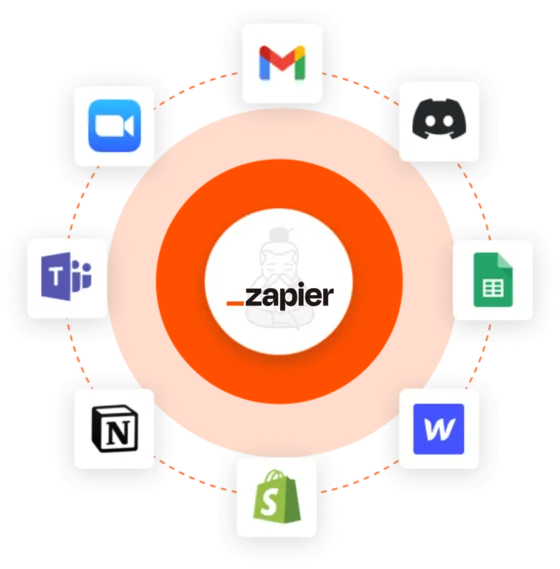
Connect and Win: The Magic of Zapier!
Integrate our email marketing platform with over 5,000 applications thanks to Zapier. Automate the addition of new contacts, sync data, and easily manage multi-channel campaigns. With our support, setting up Zapier will be quick and simple. Connect your favorite apps and create custom workflows to save time and boost efficiency.
Flawless Lists: No Ghost Addresses!
- Identify invalid email addresses
- Detect abusive emails and potential spam traps
- Block temporary or disposable emails
- Manage catch-all addresses for greater accuracy
With dedicated validation tools, we eliminate invalid, obsolete, and inactive email addresses, protecting your reputation and preventing blocks from email providers. A crucial step to reduce bounces and ensure your emails reach their destination.
Already have an app? Activate our SMTP
MailSenpai provides its own SMTP service. You’ll receive SMTP authentication credentials to integrate directly into your app, web app, CMS, e-commerce platform, or plugin extension.



Trademarks belong to their respective owners.
Still have questions? No problem.
We’ve reserved a 30-day free demo just for you, allowing you to discover and test all the features of MailSenpai.
Reviews
What our customers say
4.7/5
across 95 public reviews
 12 reviews
 4.7/541 reviews
“…semplice da usare, funzionalità innovative e complete e sopratutto il servizio clienti e il coach dedicato!”
Our translation from Italian: “Easy to use, innovative and complete features and, above all, the customer service and the dedicated coach!”
 Francesco AntonaccioSupervisor, Valore Farmacia
 February 2026
Read on Trustpilot
“…Le automazioni e le statistiche dettagliate mi aiutano a risparmiare tempo e migliorare i risultati.”
Our translation from Italian: “The automations and detailed statistics help me save time and improve my results.”
 Antonio VitaleAugust 2025
Read on Trustpilot
“…sono stato guidato scrupolosamente in tutti i passaggi, dall’acquisto, alla programmazione, sono davvero dei professionisti del settore.”
Our translation from Italian: “I was carefully guided through every step, from purchase to scheduling: they are true professionals in the field.”
 Vincenzo Di RienzoDierre Service srlMarch 2025
Read on Trustpilot
“Sono ormai 4 anni che utilizziamo questa piattaforma per l’invio delle nostre Newsletter…”
Our translation from Italian: “We have been using this platform to send our newsletters for 4 years now.”
 Bruno BiniEntrepreneur, CS Promo srlJanuary 2025
Read on Trustpilot
“Ottimo prodotto e ottima assistenza da parte del personale tecnico, disponibile, molto competente e prepararato”
Our translation from Italian: “Excellent product and excellent support from the technical staff: helpful, very competent and well prepared.”
 Paolo MagnaniIT, AVIS Provinciale Piacenza
 January 2025
Read on Capterra
“Ottima, è il partner ideale per le campagne DEM”
Our translation from Italian: “Excellent, it is the ideal partner for email marketing (DEM) campaigns.”
 Tiziana PittiaMarketing expert, Espressione srlJanuary 2024
Read on Capterra
“Assistenza top, intuitivo, efficace…”
Our translation from Italian: “Top support, intuitive, effective…”
 Giovanni GiglioliHead of Sales Italy, Axee S.r.l.October 2021
Read on Capterra
“Grazie a mailsenpai la mia azienda è riuscito ad aumentare il fatturato dall’attività di email marketing grazie a tassi di aperture delle mail molto elevati.”
Our translation from Italian: “Thanks to mailsenpai my company increased the revenue from its email marketing activity, thanks to very high email open rates.”
 Fabrizio RivaCOO, Yonkana srlApril 2023
Read on Capterra
“…la piattaforma è rapida e intuitiva e i gestori sono molto disponibili per qualsiasi necessità”
Our translation from Italian: “The platform is fast and intuitive, and the people who run it are very helpful with any need.”
Bianca ZamboniTraffiker, Yonkana srlDecember 2022Read on Capterra
“Sono rimasto colpito positivamente dal team telefonico per le loro precise delucidazioni sul servizio in base all’utilizzo personale aziendale.”
Our translation from Italian: “I was positively impressed by the phone team for their precise explanations of the service, based on our own business use.”
 Andrea PelagracciHead of Business Development, NEXIT AdvisorsDecember 2021
Read on Capterra
“…Everything works smooth and if we have a question, they are very fast in responding and finding solutions!”
October 2021Read on Capterra
“…what immediately made us believe in their services was their utmost availability and professionalism of the services offered.”
Translated from Italian by G2 (the original Italian text is not shown on G2).
 Francesco FelliniCountry Manager Italia, PeekinCity
 April 2021
Read on G2
Reviews are quoted word for word from the portals shown, with date and link to the source; “…” marks an excerpt. Reviews written in Italian are shown in the original, followed by our translation. Capterra reviews also appear on GetApp and Software Advice (same network, not additional reviews). Capterra reviews constitute the subjective opinions of individual end users based on their own experiences and do not represent the views of Capterra or its affiliates. Google reviews are those on our Google Maps listing.
FAQ
full platformFree trial