
The footer is the bottom section of a web page. Often overlooked, it is actually a very important element. The name comes from print, where the footer plays the same role at the bottom of a printed page.
What is a footer?
It is the bottom section of a web page. Whether on an ecommerce site, a blog or a newsletter, it usually contains information and links.
Besides giving it a different color from the rest of the page, you can add images or graphic elements that catch the eye. Like every other element on the web, this section can also be optimized for SEO.
How to create one
Creating the bottom section of a web page is easy: it is already included when you build the layout or choose a WordPress theme.
What matters, though, is customizing it so it becomes a useful source of information for visitors. The footer is the last thing people see as they scroll down, true, but it is also where they often go looking for information.
What a website footer contains
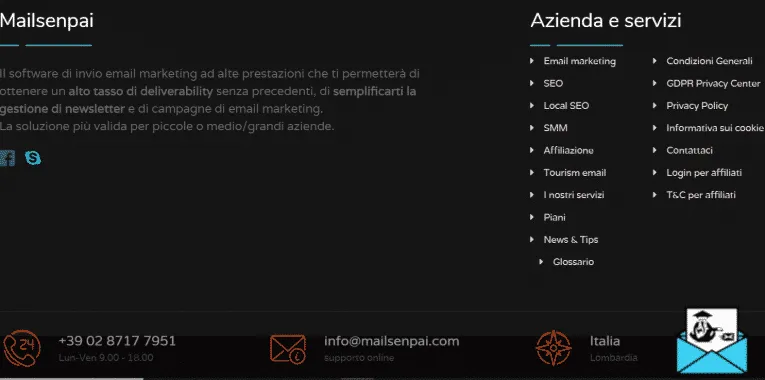
If you have built a blog or a professional website, you want as many people as possible to find it and read it. It is, in effect, your storefront on the web. And what does a storefront need? Accurate information and attractive elements.
Your homepage footer should include your brand logo (perhaps a smaller version, if it already appears at the top of the page). This is also the place to link your contact page so people can reach you easily, your privacy policy and cookie policy, and the copyright notice for your content or the products you sell.
Other useful elements
Other elements you can add to your website footer include:
- a Google Maps widget clearly showing where your physical store is;
- your VAT or tax ID number if you are a freelancer;
- a link to your contact form;
- any logos or links for affiliate marketing products.
If your website runs on WordPress, you can easily add these elements using the platform’s widgets and plugins. Otherwise, edit the HTML yourself or hire a webmaster.
Footer and SEO: what’s the connection?
As with every other part of your website, you can optimize the footer for search engines too.
Pay attention to how you word the text in your footer. A few well-chosen words can attract people searching specifically for your store’s location, your business tax details or how to contact you.
If you add links to your footer, check Google’s guidelines on link building. Make sure internal and external links are clear, transparent and never forced.
Examples
To keep your site easy to read and navigate, make sure the elements in your footer are neatly organized.
You can use links only, or mix them with small icons that take users straight to the solution they need.