
A form is a part of a web page that lets users enter information and submit it to the server. It is both a visual element of a website and a structural element of HTML markup.
Types of forms
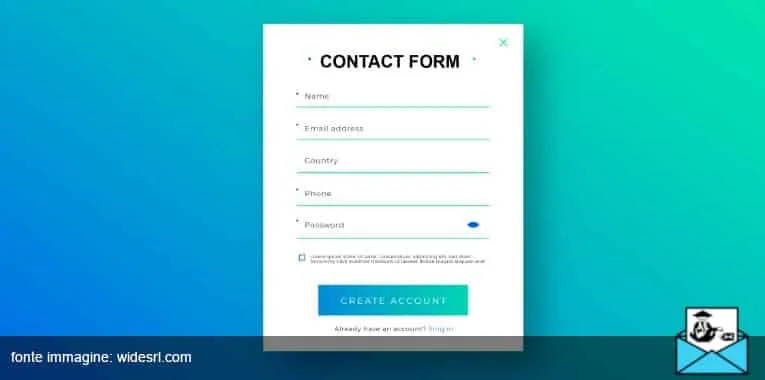
When you write the HTML of a web page, the <FORM> tag lets you add many kinds of input fields. Here are some of the most common:
- newsletter signup forms;
- checkboxes for accepting the privacy policy;
- contact forms to reach the site owner;
- keyword search fields;
- shipping and payment details on an ecommerce site;
- buttons for uploading or downloading files.
All of these elements make a site dynamic and let you capture user data and behavior.
The signup form
The most widely used form in email marketing is the newsletter signup form. This is your chance to ask for explicit permission to send emails, collect data about your prospect, and tell them how and by whom their data will be used.
Take advantage of it by adding a few specific fields besides the email address. For example, knowing a subscriber’s first and last name, date of birth and location lets you target your emails more precisely and get to know your leads better.
How to add a form in HTML

If your website or blog runs on WordPress, you can use the platform’s widgets to add some of the most common forms. Otherwise, you can add them to the HTML yourself in just a few steps.
All you need to do is insert the <form>…</form> element and place the code or text you want to display inside it. It’s easier done than said, but if in doubt, ask a professional web developer.
How to make your form appealing
You know that every element on your website can either increase or reduce its appeal to visitors. So how do you persuade them to fill out your form?
First, look at how visitors get to the form from your homepage. The form should be clearly visible and reachable from any page. Then think carefully about which fields to ask users to fill in. Run a few tests to see which colors, fonts and wording work best at attracting users.
Don’t forget the legal side: once prospects have entered their details, they must tick a box to explicitly give their consent to the use of that data.
A few examples
If you run an online clothing store, ask users for their gender, size and favorite products. You can then send them an email on their birthday (another detail collected through the form) with a promotion on the exact item they love.
For bloggers, contact forms are a great way to talk directly with readers without letting them clog up your inbox.