

In this article (6)
MailSenpai is a Mailchimp alternative to consider when you need a newsletter and campaign platform with an Italian workflow and support. Start with the job you need to do: manage an audience, send campaigns, maintain automations and connect existing systems. Compare the complete setup and the work involved in switching, rather than two entry prices.
Reviewed on 24 November 2026. This guide is published by MailSenpai, not an independent ranking. It uses official sources and practical evaluation criteria; it does not promise the same savings or outcomes for every business.
When should you consider a Mailchimp alternative?
A useful reason to switch is a specific problem: a contact-based cost that no longer fits, a workflow your team struggles to maintain, a need for Italian-language help, or a list structure that does not reflect how you work.
Staying can make sense if Mailchimp already meets your requirements and replacing essential integrations would add substantial work. If you do have a concrete gap, give both providers the same requirements brief. A feature advertised somewhere in a product range is not necessarily included in the plan you are considering.
| Criterion | Record before choosing | Useful evidence during evaluation |
|---|---|---|
| Audience management | Permissioned contacts, fields, groups and exclusions | A destination list structure that fits your use case |
| Sending volume | Campaigns per month and recipients per campaign | Monthly quotas, throughput and peak capacity |
| Templates and automations | Essential designs, triggers and sequences | The core workflow rebuilt and reviewed |
| Support | Language, channel, availability and work required | Included support and optional service conditions |
| Integrations | Forms, store, CRMCRM (Customer Relationship Management) refers to a set of strategies that put the customer relationship... More and active synchronisations | Documentation for the particular connection |
What to evaluate in MailSenpai
The MailSenpai platform brings together lists, campaigns, templates, segmentation and reporting. Its documented features include CSV contact import, unsubscribe management and tools for excluded addresses. Check how your source fields map to the destination list during evaluation.
Compare the editor, automations, support and AI-assistant connection in the selected plan, including any required add-ons. Having an AI assistant does not prove that Mailchimp templates, segments or workflows will transfer automatically. Keep human review before a campaign is sent.
The platform currently offers a 30-day trial. This differs from SMTP Senpai’s continuing free plan. SMTP Senpai is a relay for service messages from apps and websites, with quotas and a verified sender domainIn technical terms, a domain name is the address used to visit a specific website.... More; it is not the newsletter plan for replacing Mailchimp. See transactional email versus newsletters for the distinction.
Compare costs for the same workload
On 24 November, the MailSenpai plans page lists Basic at €13.49 per month as the equivalent of an annual plan, excluding VAT, with annual payment. That is €161.88 a year before VAT and extras. It lists 10,000 monthly emails and unlimited subscribers; unlimited subscribers do not mean unlimited sends. The builder, brandingBranding is a marketing term. It refers to the set of activities and operational strategies... More removal, priority support and AI can affect the configured price.
Mailchimp’s plan documentation lists Free with up to 250 contacts, 500 monthly sends and 250 daily sends. Paid pricing depends on the selected tier and audience size. Check the current official quote for currency, promotions, taxes and overage conditions. Do not compare a temporary promotion with an annual commitment without explaining the difference.
Illustrative calculation, not a customer result: four newsletters to 2,000 recipients require 8,000 sends before tests, resends or other sequences. Add the required extras and the work of rebuilding the setup for each provider. This gives you a meaningful comparison; it does not establish that one service is always cheaper.
MailSenpai’s example above is in EUR. It is not a US-dollar or UK-pound quote, and currency conversion alone does not establish what a business in either market will pay.
Switching from Mailchimp to MailSenpai: prepare the handover
A move involves data, rules and subscription routes. An audience CSV is only one part of it. Inventory your current setup and plan a cutover that avoids two automatic campaigns responding to the same event.
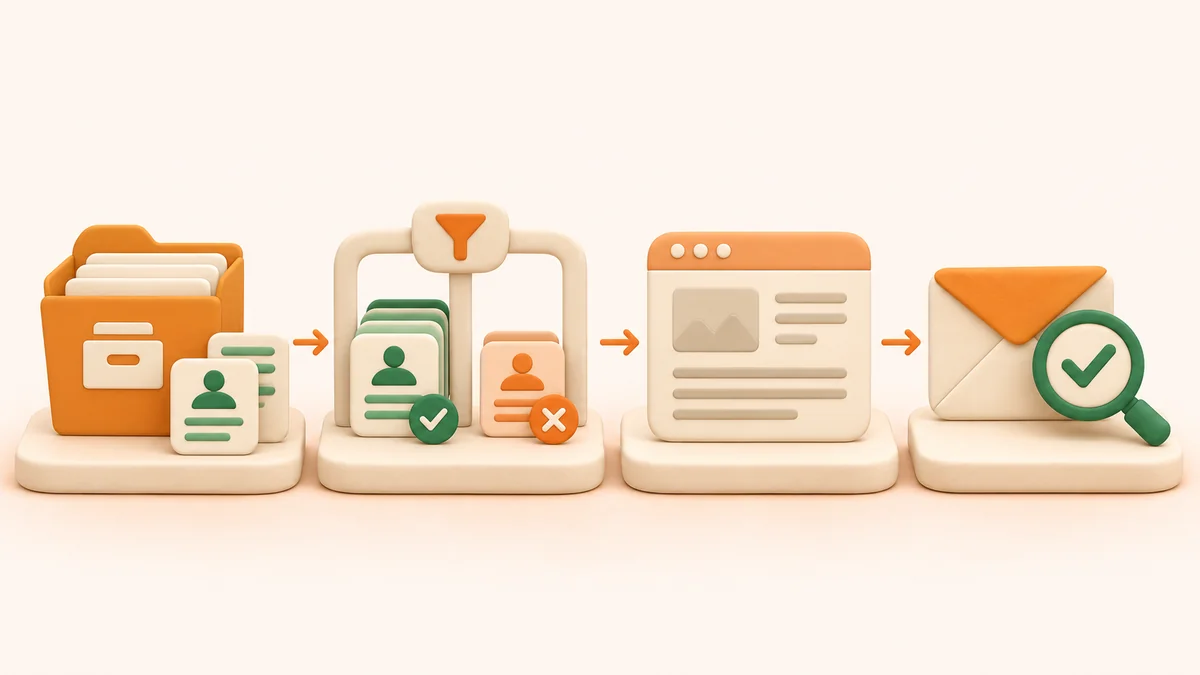
1. Keep an archive and separate contact statuses
Mailchimp’s contact export guide distinguishes subscribed, unsubscribed, non-subscribed and cleaned contacts. Keep these statuses separate. Appearing in an export does not make an address eligible for a marketing campaign. Preserve the available subscription-source information and exclusions without publishing personal data files.
The account backup documentation covers data beyond contacts, such as campaign content and reports. Decide what you need as a historical archive. An exported file is not proof that the destination can restore it as a working, editable object.
2. Map fields and rebuild rules
For each field, record its source name, meaning, format and destination. Check dates, accented characters and empty values. Rebuild segments and exclusions; do not automatically convert unsubscribed or invalid addresses into active subscribers. Configure and check MailSenpai’s documented blacklist and suppression tools for your particular case.
Review templates, editor blocks, personalisation tags and automations separately. Exportable HTMLHTML stands for HyperText Markup Language. It isn't a programming language but a system for... More may need adaptation. A sequence needs its conditions, delays, exits and preferences checked. This guide does not certify an automatic full-account migration between the products.
3. Review the route before switching
- Check the sender and domainIn technical terms, a domain name is the address used to visit a specific website.... More authentication against the service’s current instructions.
- Review forms, confirmation pages, preferences and unsubscribe links so they point to the intended route.
- Check mobile previews, links, personalisation, time zones and sequence schedules.
- Plan a controlled check using authorised internal addresses and an acceptance checklist before the first real campaign.
- Assign responsibility for retiring the old workflow and checking the new one. Keep the necessary archive before closing services or deleting data.
This is a preparation checklist. No customer data was imported and no email was sent while producing this guide. Technical acceptance, mailbox receipt and reading are different observations. A platform alone cannot guarantee primary-inbox placement or higher sales.
Decide whether the workflow fits before committing
Bring one essential workflow and a requirements list to the trial. Check audience management, templates, support and the complete configured cost. If a critical capability remains unverified, record that dependency before making the switch.
Start the MailSenpai platform trial or discuss your use case, including volumes, current systems and essential functions. Describe the structure first; there is no need to attach a customer list to an initial enquiry.
Frequently asked questions
Does MailSenpai automatically import my whole Mailchimp account?
No. CSV contact import does not establish automatic transfer of an entire account. Fields, statuses, designs and automations need separate verification.
Should I switch just because my contact list is growing?
No. Compare total cost for your audience and sending schedule, essential features and the effort required to switch. There is no universal winner for every workload.
Can I use the SMTP free plan for newsletters?
No. SMTP Senpai is for service messages. Evaluate newsletters and campaigns in the MailSenpai platform; the offers serve different purposes and have separate conditions.
Official sources checked on 24 November 2026: the MailSenpai pages and Mailchimp documentation linked above. Prices and conditions can change; confirm the current configuration before purchasing. Contact-status guidance does not replace assessment of the conditions applying to your communications.
The MailSenpai team
We write practical guides on email marketing, email delivery and transactional sending, based on what we see every day on our platform.
Want the next guides in your inbox?
MailSenpai
Want to put these tips into practice?
Lists, templates, automations and reports in one platform, with an AI assistant that helps you write and schedule your campaigns.


MailSenpai
Try MailSenpai for free
Create your first campaign in minutes: lists, templates, automations and reports in one platform, with an AI assistant.